Intro
I use Instagram as a sort of diary of notable life events and to keep in contact with friends and family. But I kind of despise the platform itself.
It’s insane to me that the defacto image-based social media platform cannot handle a mix of vertical and horizontal images without cropping one type to fit the other. I fixed that by creating Siri Shortcut “Resize With Fill”, which has been very well received.
However, as someone who cares about quality, it’s always bothered me that you lose HDR in the process.
After spending well over a year (on and off) experimenting, finding absolutely nothing online, and being ignored by experts, I have finally, finally found a process to resize / pad images with fill and retain HDR. Feels like a bloody world first. And it all works on-device too.
It’s not a super convenient or scalable process, but I am going to keep at it in the hopes of creating something like my Siri Shortcut but with HDR support. However, I have no idea how long that will take, so I’m sharing this in the meantime.
Edit 2026/06/03: I’ve managed to create my own iOS app to do this (among other things) and updated my Siri Shortcut to use it - all for free! https://routinehub.co/shortcut/21785/
Process
1. Resize
1. Install and open “VN: AI Video Editor” from https://apps.apple.com/gb/app/vn-ai-video-editor/id1343581380 (Ubiquiti are so good at everything they do, from this to UniFi Software-Defined Networking).
2. Create a new project using the photo.
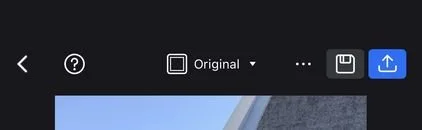
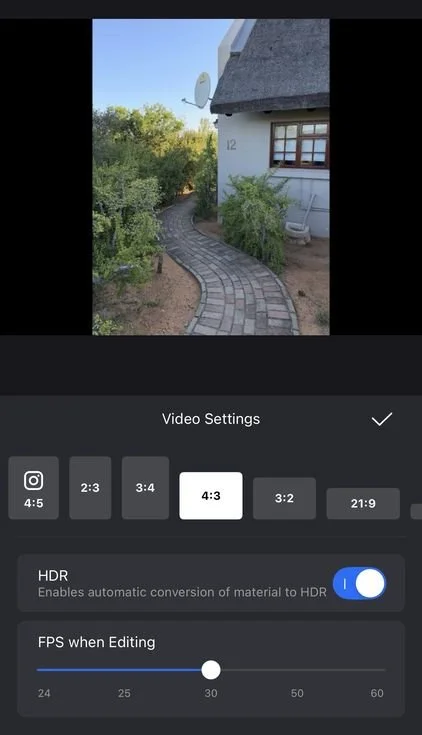
3. At the top, tap on “Original”, set your orientation and aspect ratio, and enable HDR.
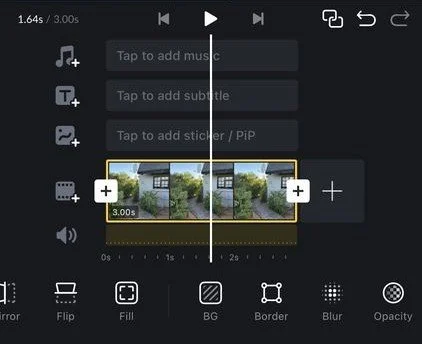
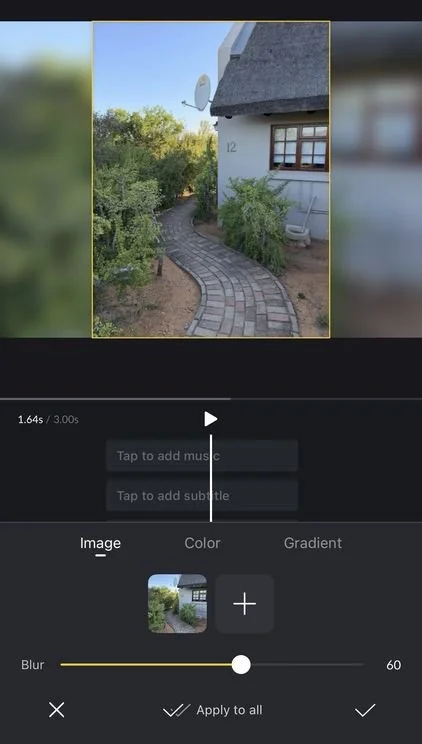
4. At the bottom, scroll to the right, tap on “BG”, and choose your background / fill.
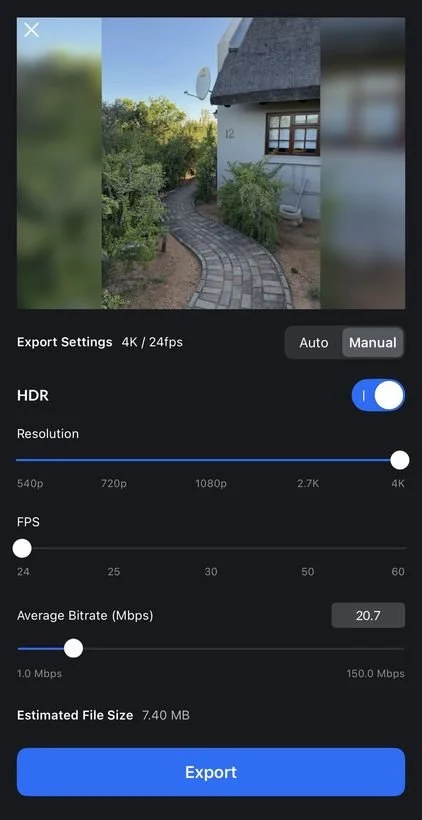
5. In the top right, tap on the blue share button, enable HDR, set the resolution to maximum, the FPS to minimum, and tap on “Export”.
2. Extract
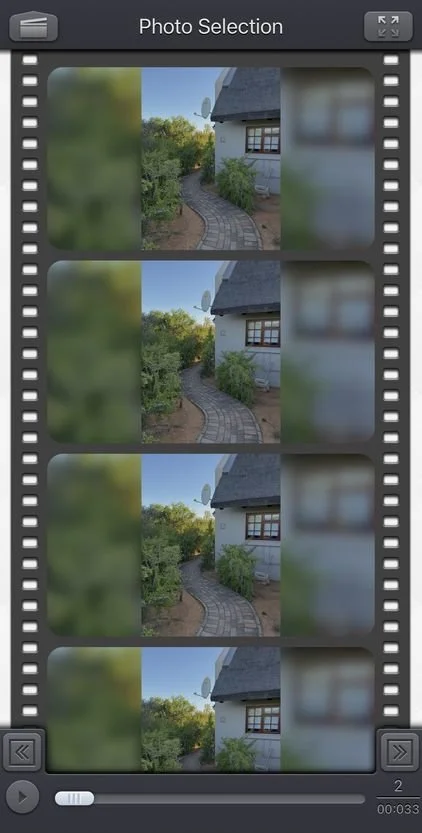
1. Install and open “Video 2 Photo - HD” from https://apps.apple.com/gb/app/video-2-photo-hd/id487353844 (it may look old, but it’s the only one I’ve found that can extract a frame and actually retain HDR).
2. Open the video created by the previous steps.
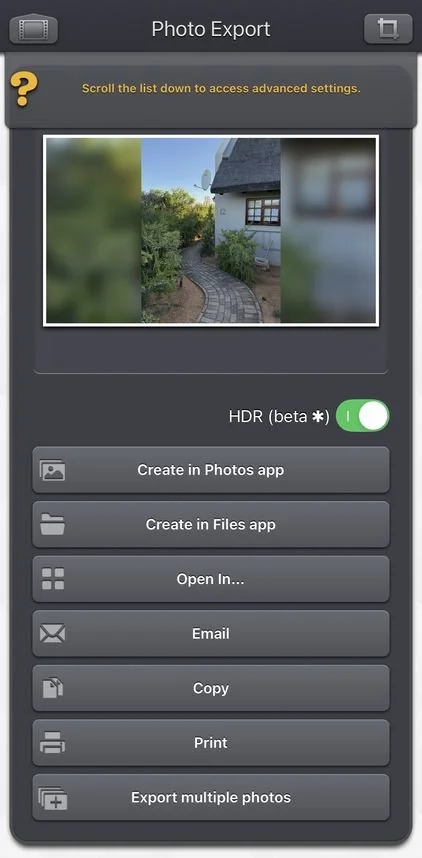
3. Tap on any frame, enable HDR, and tap on “Create in Photos app”.
Voilà.
Sign-off
As usual, I sincerely hope that this has been useful to someone.
Feel free to subscribe to my newsletter to be automatically notified of new blog posts in the future.
😊